 gamaniPOS
မြန်မြန်ရောင်း။
အမြတ်ကို သိပါ။
Sell faster.
Know your profit.すばやく販売。
利益をしっかり把握。
အွန်လိုင်းရောင်းသူများ (Facebook / Viber / TikTok)၊ အိမ်ဆိုင်၊ လက်လီဆိုင်၊ ဈေးဆိုင်နှင့် လက်ကားဆိုင်များအတွက် အရောင်းစနစ်။ မြန်မာစာ ပြေစာ၊ ကုန်လက်ကျန်၊ အကြွေး၊ ပို့ဆောင်မှုနှင့် နေ့ချုပ်၊ လချုပ်၊ နှစ်ချုပ် အမြတ်ကို တစ်နေရာတည်းတွင်။ Point of sale for online sellers (Facebook / Viber / TikTok shops), home shops, retail stores, market stalls and wholesalers. Myanmar receipts, stock, customer credit, deliveries and daily, monthly and yearly profit in one place.オンライン販売(Facebook / Viber / TikTokショップ)、自宅のお店、小売店、市場の露店、卸売業者のためのPOS。ミャンマー語のレシート、在庫、顧客の掛け売り、配送、日次・月次・年次の利益をひとつにまとめます。
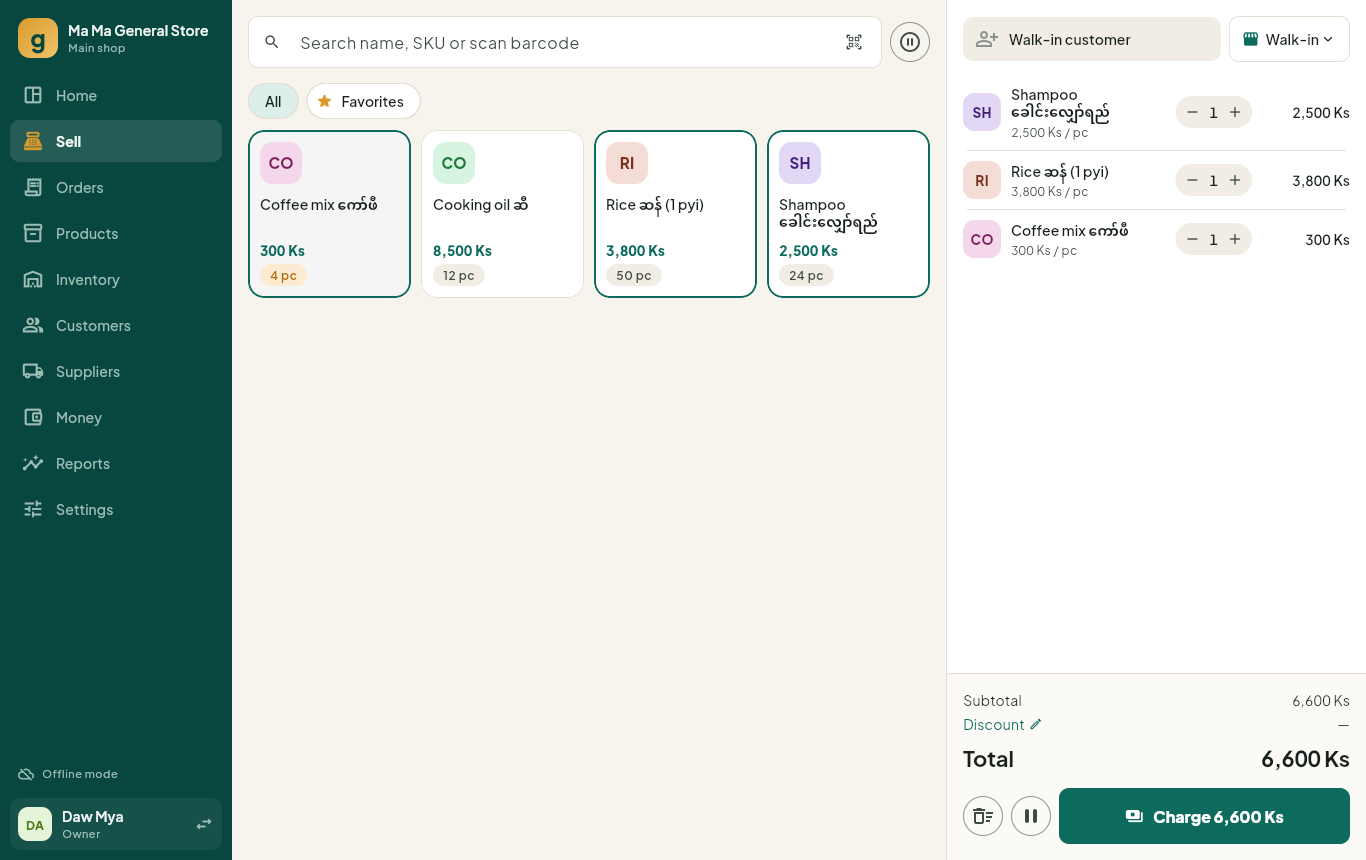
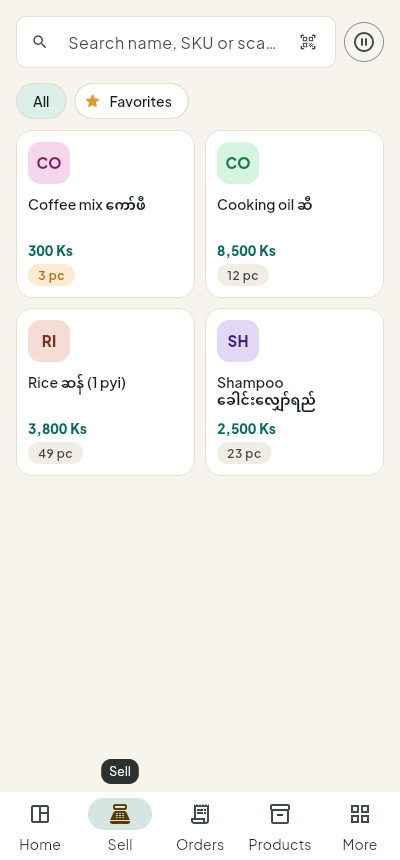
ဆိုင်တစ်ဆိုင်လုံးအတွက် လိုသမျှEverything a shop needsお店に必要なすべて
Android၊ Huawei ဖုန်း/တက်ဘလက်နှင့် Windows ကွန်ပျူတာတွင် app ဖြင့်၊ iPhone၊ Mac နှင့် အခြားစက်များတွင် browser ဖြင့် အသုံးပြုနိုင်သည်။Apps for Android, Huawei and Windows, plus a web version for iPhone, Mac and any browser.Android・Huawei・Windows用アプリに加え、iPhone・Mac・各種ブラウザで使えるWeb版もあります。
မြန်ဆန်သော အရောင်းFast checkoutすばやい会計
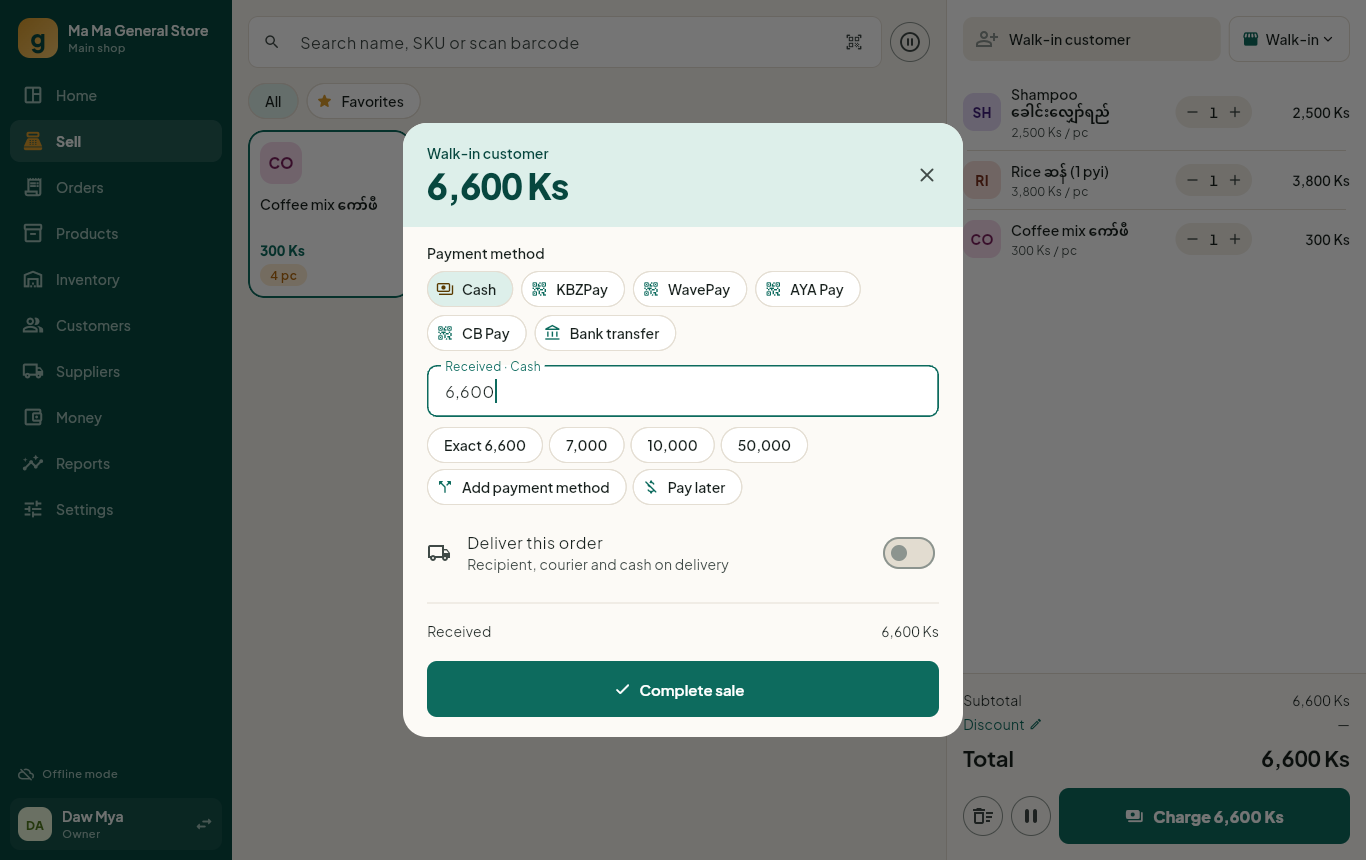
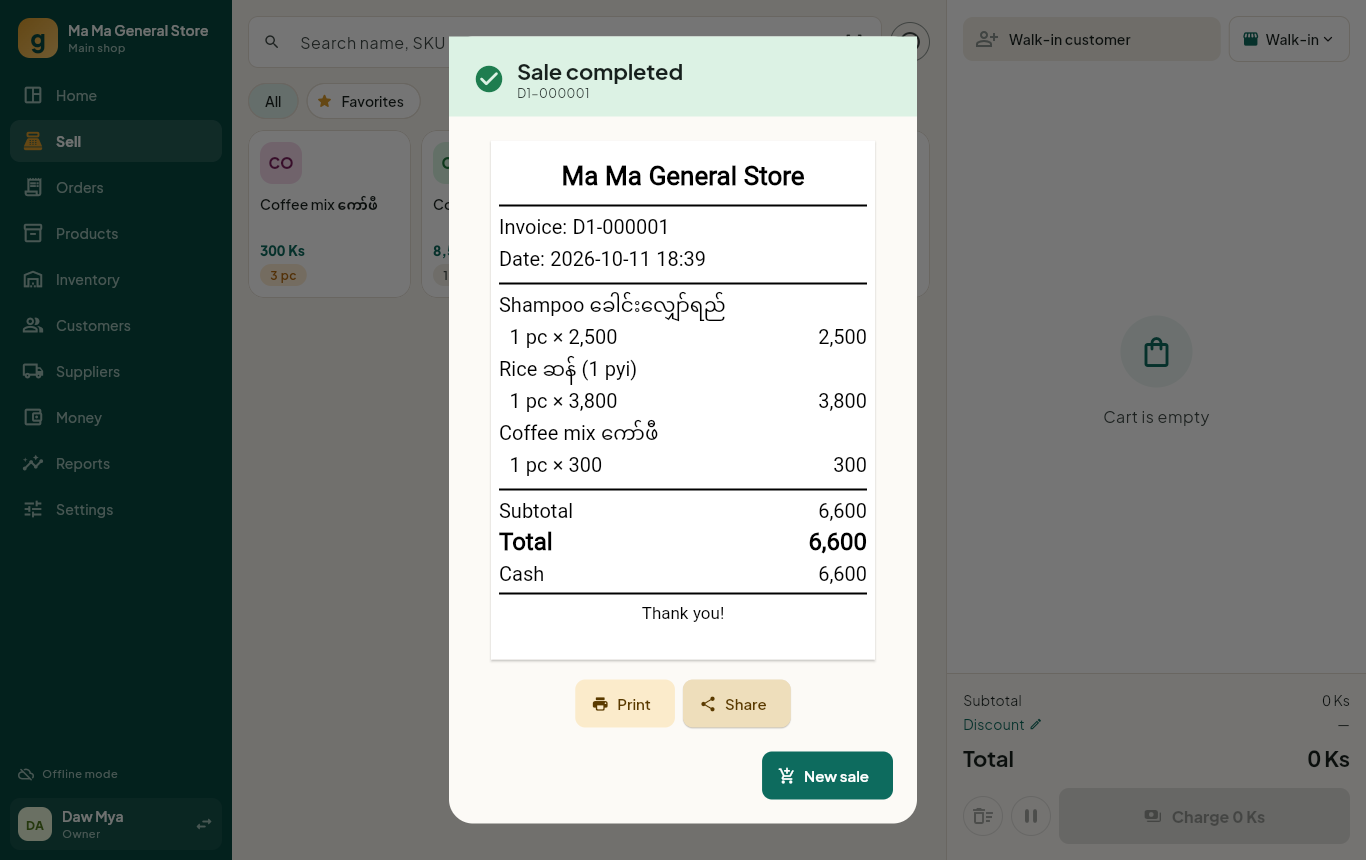
Barcode ဖတ်ခြင်း၊ လက်လီ/လက်ကား ဈေး၊ ခု/ဘူး/ထုပ် ယူနစ်။ ငွေသား၊ KBZPay၊ WavePay၊ AYA Pay၊ CB Pay၊ ဘဏ်လွှဲ သို့မဟုတ် ပေါင်းစပ်ပေးချေနိုင်သည်။Barcode scanning, retail and wholesale prices, pieces, boxes and packs. Take cash, KBZPay, WavePay, AYA Pay, CB Pay or bank transfer — or split one bill between them.バーコード読み取り、小売・卸売価格、個・箱・パック単位に対応。現金、KBZPay、WavePay、AYA Pay、CB Pay、銀行振込、または1回の会計を分割して支払えます。
မြန်မာစာ ပြေစာMyanmar receiptsミャンマー語レシート
Bluetooth၊ Wi-Fi ပရင်တာ သို့မဟုတ် PDF ဖြင့် မြန်မာစာ မှန်ကန်စွာ ထုတ်နိုင်သည်။Myanmar text prints correctly on Bluetooth and Wi-Fi printers, or as PDF to share on Viber.BluetoothやWi-Fiプリンターでミャンマー語を正しく印刷。PDFにしてViberで送ることもできます。
ကုန်လက်ကျန်Stock control在庫管理
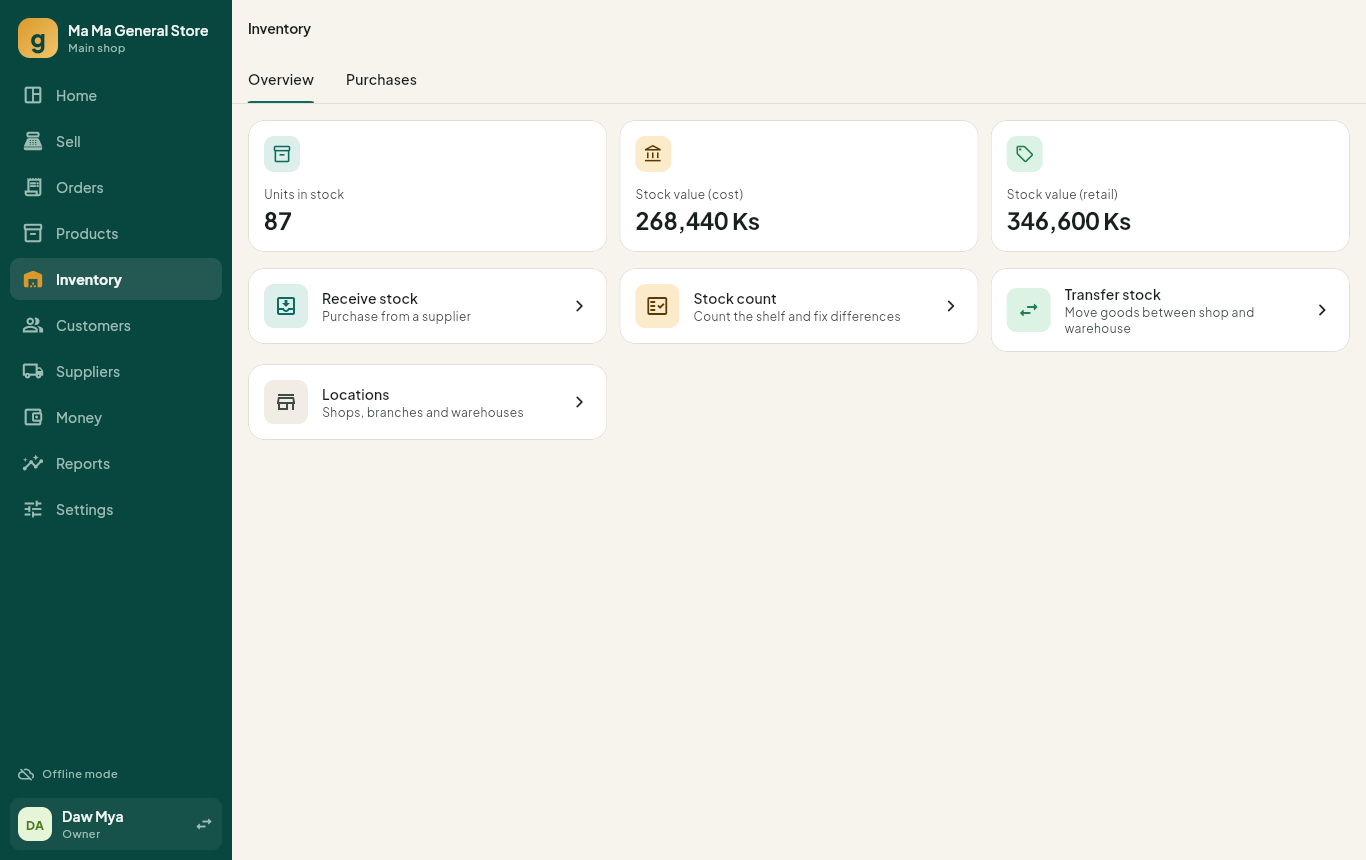
ဆိုင်ခွဲနှင့် ဂိုဒေါင်၊ ကုန်လွှဲ၊ အရွယ်/အရောင် အမျိုးအစား၊ လက်ကျန်စစ်၊ သက်တမ်းကုန်ရက်၊ လက်ကျန်နည်း သတိပေးချက်။Branches and warehouses, transfers, sizes and colours, stock counts, expiry dates and low-stock alerts.支店と倉庫、在庫移動、サイズ・カラー、棚卸し、賞味期限、在庫少アラート。
အကြွေးစာရင်းCredit & payables掛け売り・買掛金
ဖောက်သည်အကြွေး၊ ရက်အလိုက်ခွဲခြမ်း၊ ကုန်သည်ပေးရန်၊ အသုံးစရိတ်နှင့် ငွေအံဆွဲ။Customer credit with aging, supplier payables, expenses and cash drawer shifts.経過日数つきの顧客の掛け売り、仕入先への買掛金、経費、レジのシフト管理。
အွန်လိုင်း အော်ဒါOnline ordersオンライン注文
Facebook၊ TikTok၊ Viber၊ Telegram အော်ဒါများ — ဖုန်းနံပါတ်ဖြင့် ဖောက်သည်ရှာခြင်း၊ ဇုန်အလိုက် ပို့ခ၊ အတည်ပြု → ထုပ်ပိုး → ပို့ → ရောက်ပြီ၊ ပို့ဆောင်သူနှင့် ငွေစာရင်းရှင်းခြင်း။Orders from Facebook, TikTok, Viber and Telegram: find customers by phone, delivery fees by zone, confirm → pack → send out → delivered, and settle cash with each courier.Facebook・TikTok・Viber・Telegramの注文:電話番号で顧客を検索、エリア別の配送料、確認 → 梱包 → 発送 → 配達済み、配送業者ごとの現金精算。
အမြတ် အစီရင်ခံစာProfit reports利益レポート
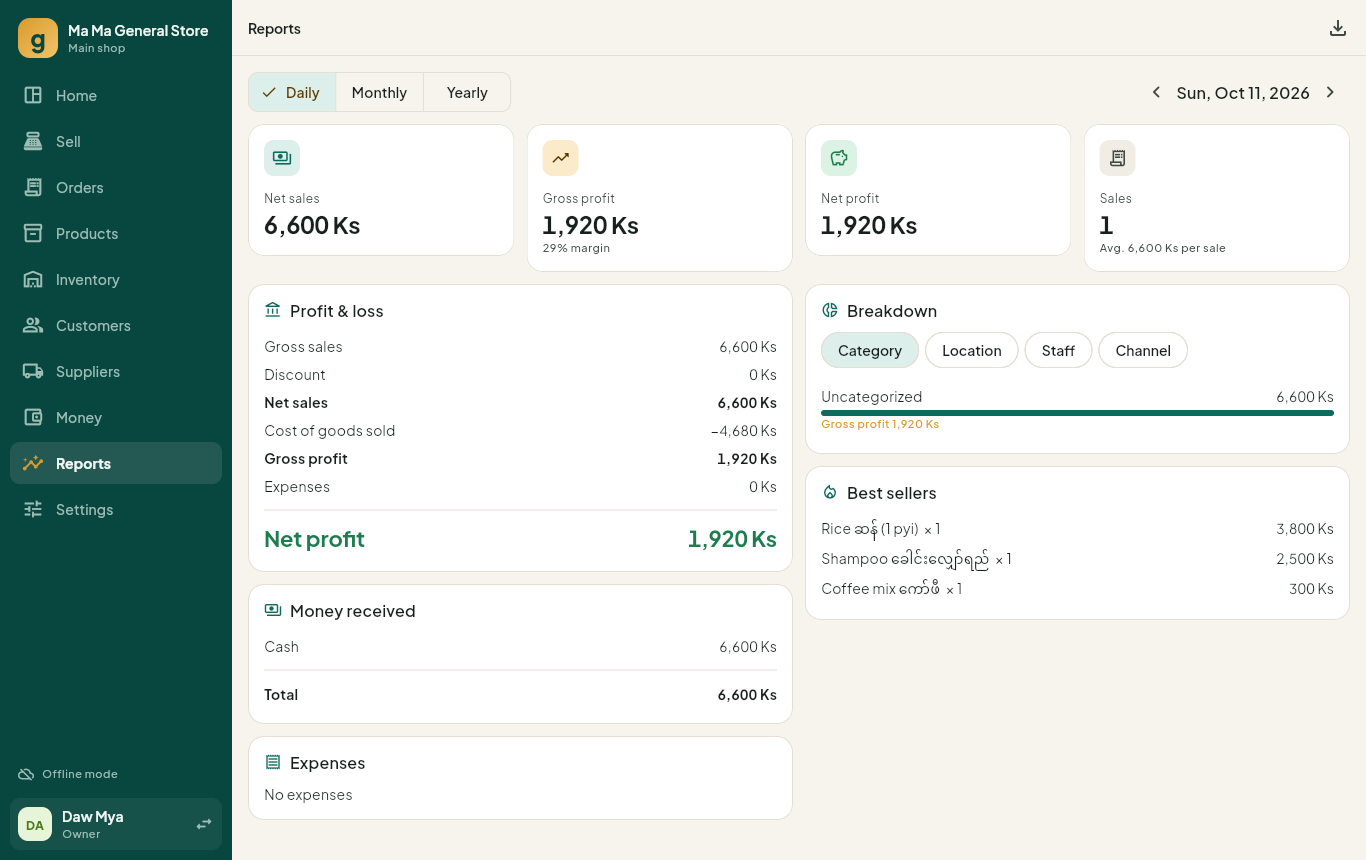
နေ့ချုပ်၊ လချုပ်၊ နှစ်ချုပ်၊ အရောင်းရဆုံးပစ္စည်းများ၊ Excel သို့ ထုတ်ယူခြင်း။Daily, monthly and yearly P&L, best sellers, and Excel export.日次・月次・年次の損益、売れ筋商品、Excelへの出力。
ဒေါင်းလုဒ်Downloadダウンロード
အခမဲ့ဖြစ်ပြီး အကောင့်ဖွင့်ရန် မလိုပါ။ စက်များစွာ ချိတ်ဆက်လိုမှသာ အခမဲ့အကောင့် ဖွင့်ပါ။Free, no account needed. Create a free account only if you want to sync several devices.無料、アカウント不要。複数の端末を同期したい場合のみ、無料アカウントを作成します。
ဖုန်းအဟောင်း (32-bit) အတွက် ဤနေရာ။ APK ထည့်သွင်းရာတွင် “Unknown sources” ကို ခွင့်ပြုရန် လိုနိုင်ပါသည်။ ဗားရှင်းအားလုံးကို GitHub Releases တွင် ကြည့်ပါ။ Older 32-bit phones: download here. Android may ask you to allow installs from this source. All versions are on GitHub Releases.古い32ビットのスマホはこちらからダウンロード。Androidで、この提供元からのインストールの許可を求められることがあります。すべてのバージョンはGitHub Releasesにあります。
သင့်ဒေတာ သင့်ပိုင်Your data stays yoursデータはあなたのもの
ဒေတာများကို သင့်စက်ထဲတွင် သိမ်းသည်။ Cloud ချိတ်ဆက်မှုကို ကိုယ်တိုင်ဖွင့်မှသာ သင့်အကောင့်သို့ ပို့ပြီး သင့်ဝန်ထမ်းများသာ မြင်ရသည်။ မည်သည့်အချိန်မဆို Excel သို့ ထုတ်ယူနိုင်သည်။Data is stored on your own device. It goes to the cloud only if you turn on sync, and only your staff can see it. Export everything to Excel at any time.データはあなたの端末に保存されます。同期をオンにした場合のみクラウドに送られ、見られるのはあなたのスタッフだけです。いつでもすべてをExcelに出力できます。
- အင်တာနက် မလိုဘဲ ရောင်းနိုင်သည်Sell with no internetインターネットなしで販売
- Backup ဖိုင်ကို Drive / Viber တွင် သိမ်းနိုင်သည်Back up to a file on Drive or ViberDriveやViberにファイルでバックアップ
- ယခင်စနစ်မှ ပစ္စည်းစာရင်းကို Excel ဖြင့် တစ်ခါတည်း ထည့်နိုင်သည်Bring your product list from Excel in one goExcelの商品リストを一括で取り込み
- ဝန်ထမ်း PIN နှင့် ရာထူးအလိုက် ခွင့်ပြုချက်Staff PINs and role permissionsスタッフのPINと役割ごとの権限
FAQ
ဘယ်ပရင်တာ သုံးရမလဲ?Which printer should I buy?どのプリンターを買えばいい?
58mm သို့မဟုတ် 80mm thermal ပရင်တာ (ESC/POS) မည်သည့်အမျိုးအစားမဆို ရသည်။ iPhone သုံးလျှင် Bluetooth LE သို့မဟုတ် Wi-Fi ပရင်တာကို ရွေးပါ။ A4 ပရင်တာဖြင့်လည်း ထုတ်နိုင်သည်။Any 58 mm or 80 mm ESC/POS thermal printer. For iPhones choose a Bluetooth LE or Wi-Fi model. Normal A4 printers also work.58mmまたは80mmのESC/POS感熱プリンターなら使えます。iPhoneにはBluetooth LEまたはWi-Fiモデルを選んでください。通常のA4プリンターも使えます。
အင်တာနက် မရှိလည်း ရလား?Does it work without internet?インターネットがなくても使えますか?
ရပါသည်။ အရောင်း၊ ပြေစာ၊ အစီရင်ခံစာ အားလုံး အင်တာနက်မလိုပါ။Yes. Selling, receipts and reports all work offline.はい。販売、レシート、レポートはすべてオフラインで使えます。
စက်များစွာဖြင့် သုံးလို့ရလား?Can I use several devices?複数の端末で使えますか?
ရပါသည်။ ဆက်တင် → Cloud ချိတ်ဆက်မှု တွင် အခမဲ့အကောင့်ဖွင့်ပါ။ ဖုန်း၊ ကွန်ပျူတာနှင့် ဆိုင်ခွဲများ ဒေတာတစ်ခုတည်းကို မျှသုံးပြီး ဝန်ထမ်းတစ်ဦးချင်းစီကို ရာထူးအလိုက် ခွင့်ပြုချက်ပေးနိုင်သည်။ အင်တာနက်ပြတ်နေလည်း ဆက်ရောင်းနိုင်ပြီး ပြန်ချိတ်မိမှ အလိုအလျောက် ပေါင်းပေးသည်။Yes. Create a free account in Settings → Cloud sync. Phones, computers and branches then share the same data, and each staff member gets their own role. If the internet drops you keep selling; changes merge automatically when you are back online.はい。設定 → クラウド同期で無料アカウントを作成すると、スマホ・パソコン・支店で同じデータを共有でき、スタッフごとに役割を設定できます。インターネットが切れても販売を続けられ、オンラインに戻ると変更は自動で統合されます。
ရှိပြီးသား ပစ္စည်းစာရင်းကို ဘယ်လိုထည့်ရမလဲ?How do I add my existing product list?今ある商品リストはどう追加しますか?
ဆက်တင် → ထည့်သွင်း / ထုတ်ယူ တွင် Template ကို download လုပ်ပါ။ ပစ္စည်းအမည်၊ ဈေးနှုန်း၊ လက်ကျန် စသည်တို့ကို ဖြည့်ပြီး ဖိုင်ကို ပြန်ထည့်ပါ။ Excel နှင့် CSV နှစ်မျိုးလုံး ရပါသည်။Go to Settings → Import & export and download the template. Fill in product names, prices and stock, then import the file. Excel and CSV both work.設定 → インポートとエクスポートでテンプレートをダウンロードし、商品名・価格・在庫を入力してファイルをインポートします。ExcelとCSVのどちらも使えます。